

Before starting an APK transfer, check where the file comes from and how much space your phone has left. Use a connection that can finish the download without interruption. Then read the installation prompt, rather than approving permissions just to move past it.
What to have ready
| Android phone | Install available security updates before starting |
|---|---|
| Free storage | Leave space for the saved file and installed app |
| Mobile data or Wi-Fi | Choose a steady connection with enough data remaining |
| Download source | Inspect the current X9 destination and file information |
| Access requirements | Check adult eligibility and the requirements for your location |
Follow the file from browser to installer
- Open the X9 entry on the phone where you intend to install.
- Check the platform identity and find its current Android option.
- Wait until the browser reports that the file has finished downloading.
- Find the completed item in Downloads or its notification.
- Read Android’s source warning and the permissions it requests.
- Continue only after verifying the file; grant only the access needed.
- Open the installed app and use Login for an existing account.
File size and release details can change. Use the information shown at the source when you download.
Give the first launch a moment
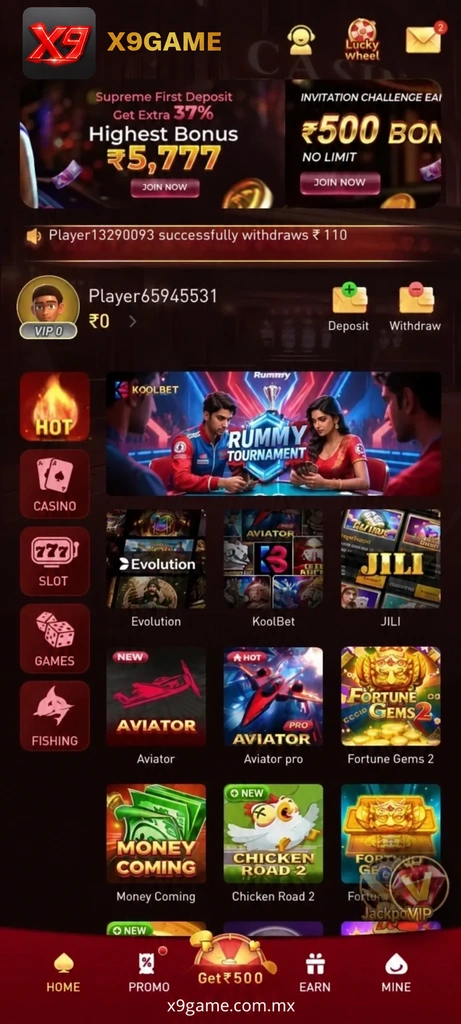
Wait for the lobby to load, then find navigation, account access and support. Avoid tapping several areas while the screen is still opening. New readers can use the X9 registration notes; returning members can sign in with their usual profile.
Close the temporary installation permission
Android may ask you to allow installation through a particular browser or file manager. Once setup is complete, return to that setting and switch off permission you no longer need. There is no reason to leave broad source access enabled.
Use these images to recognise the layout



If installation does not go as expected
Where do I check the available APK version?
Look at the current Android file details at the linked X9 destination.
Why did my download stop halfway?
Check available storage and your connection before starting a fresh transfer from the source.
Does reinstalling remove the need for Login?
A returning member still uses the existing profile; avoid creating a duplicate.
What if the installer asks for unfamiliar access?
Leave the prompt and verify what the file needs before allowing it.